
Announcement - Software Tool: Knowledge Base Console v1.0 - in development |
Re-edit: 18-01-2026
Announcement - Software Tool: Knowledge Base Console v1.0 - in development
KBC (Knowledge Base Console) - brought to you by Narrow Gate Software
Ever got tired searching were your information is? Ever got suspicious to where your information is going around the globe without you actually knowing about it?
Well I am now programming software called the Knowledge Base Console (KBC) with you can do research to any type of subject to collect information in an organized way. My software does not communicate with other websites, and it doesn't run on websites. This is autonomous software like in the old days - you can install it anywhere you like and it has no Windows installer.
Why? Because I am suspicious to where my information goes; I don't trust any of Microsoft's cloud drives and stuff. You information is being distributed and eventually your information is scanned by forces that prove today to be hostile and unreliable.
With this tool you can collect information that you store locally or store links to information like to other websites. I myself am always more like pulling the information towards my local storage because that way I can ensure the information stays accessible. Website are known to disappear. You can use this tool for work or for at home or both.
The tool has set of tables to store the following information:
- Abbreviations and Concepts - handy for especially work but also for subjects with their own jargon and abbreviations etc.
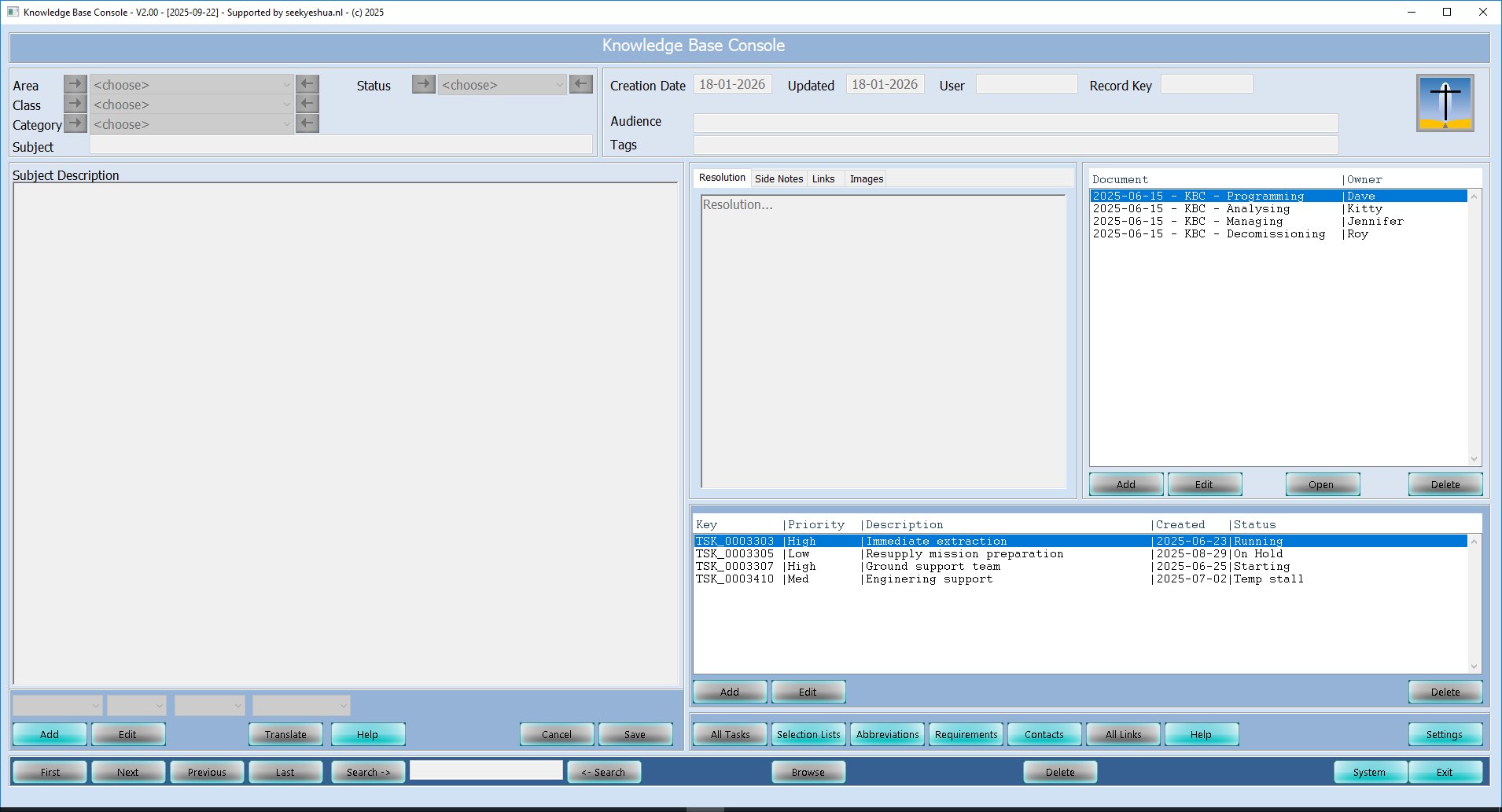
- Tasks - to be linked to a Knowledge Base record; you can even setup projects with that.
- Document links - links to either locally stored documents or website links.
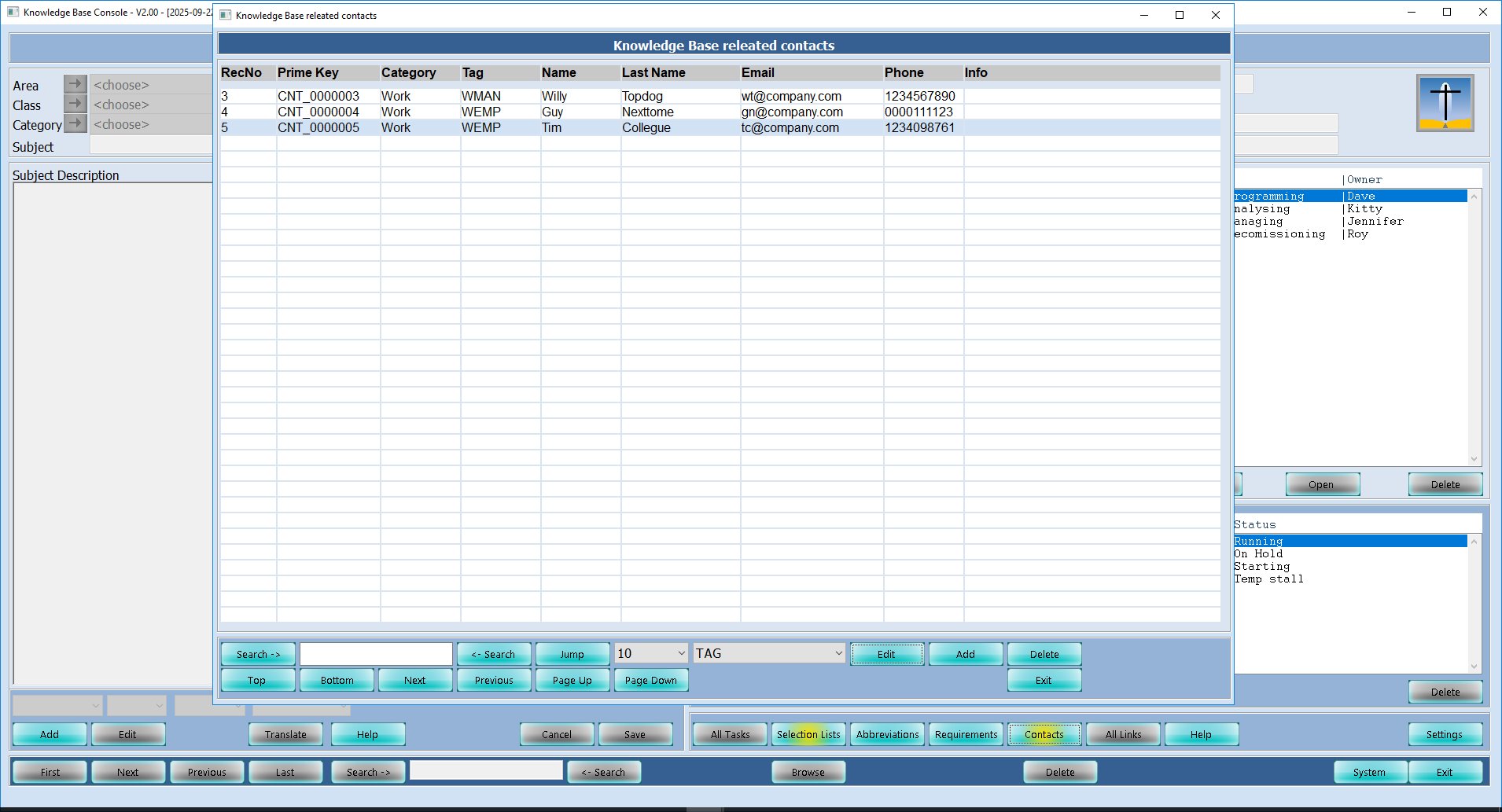
- Contacts - contacts that are involved certain knowledge base records.
- A knowledge base record - containing fields with rich-text information so you can store not only text, but also images in the text - in blog type editing fashion.
- A knowledge base record can have parent links and child links to other knowledge base records.
Main user interface feature
The user interface mimics a console. I like consoles as it contains mostly only buttons. No menu's. This is also to make the application more appropriate for touch screens.
Screen shots
Main Screen
Contact list
General Features
KBC's general features have to do with:
- Documenting your knowledge;
- Finding your knowledge records / information;
- Picture gallery per knowledge record;
- Inline calculations in main description field.
- Auto Expansion for abbreviations in main description field.
- Task alerts for projects.
- Self defined qualifiers.
The system uses not only string searches but also tagging, so you can tag certain records. If the tag is used for searching, the search is faster than a vague search as it only checks the tag field for the right tag instead of the whole record. The are several levels or layers in which you can categorize a knowledge base record. All to you own needs.
Planning
The current projection for the first release of KBC is on June 30th 2026 for the v1.0 for windows.
And for Linux users it will be probably in September 2026 - exact date not yet set.
KBC Price
The price will be estimated between 3-12 Euro's for one license. So it is either very cheap, or just cheap.
KBC Service
Considerations for this software:
- To give free life time updates;
- Send updates annually;
- Open a forum for update-requests or questions;
- To put the KBC documentation Online;
- All payments through PayPal.